The Shopify admin, with the things you keep asking for

Dark mode. 250 rows per page. Quick filters, a command palette, keyboard shortcuts and paste from Excel into the bulk editor. A free Chrome extension that runs only on admin.shopify.com and never sends your data anywhere.

Works in Chrome, Edge, Brave and other Chromium browsers. Not affiliated with Shopify.

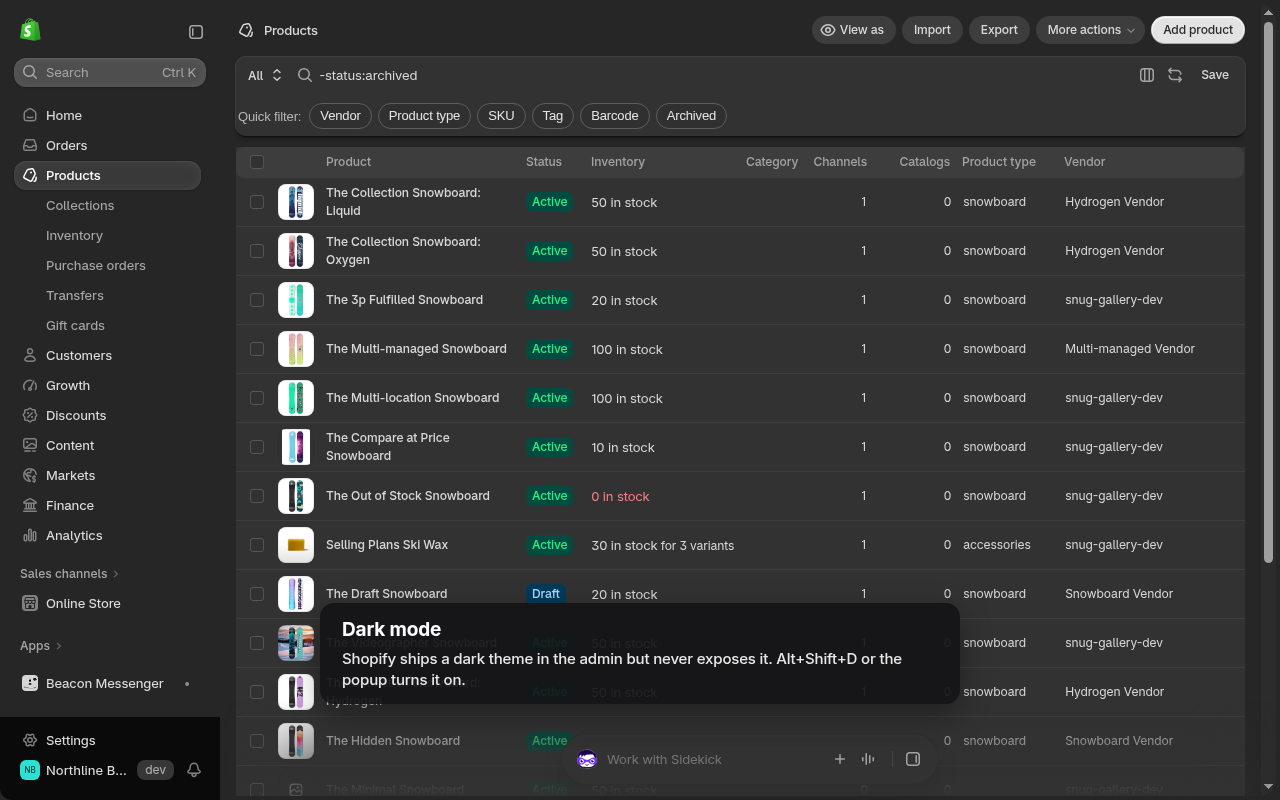
Shopify admin product list in dark mode with quick filter chips added by Shopify Admin Power-Up

Nine fixes merchants have requested on the Shopify forums for years

Each one can be turned off in the popup. Nothing changes on your store; everything happens in your browser tab.

Dark mode that does not hurt

Shopify already ships a dark theme in the admin code. The extension switches it on and remaps its neutrals to dark gray surfaces and light gray text, so there is no black and white glare. Off, on, or follow the system setting. Alt+Shift+D toggles it.
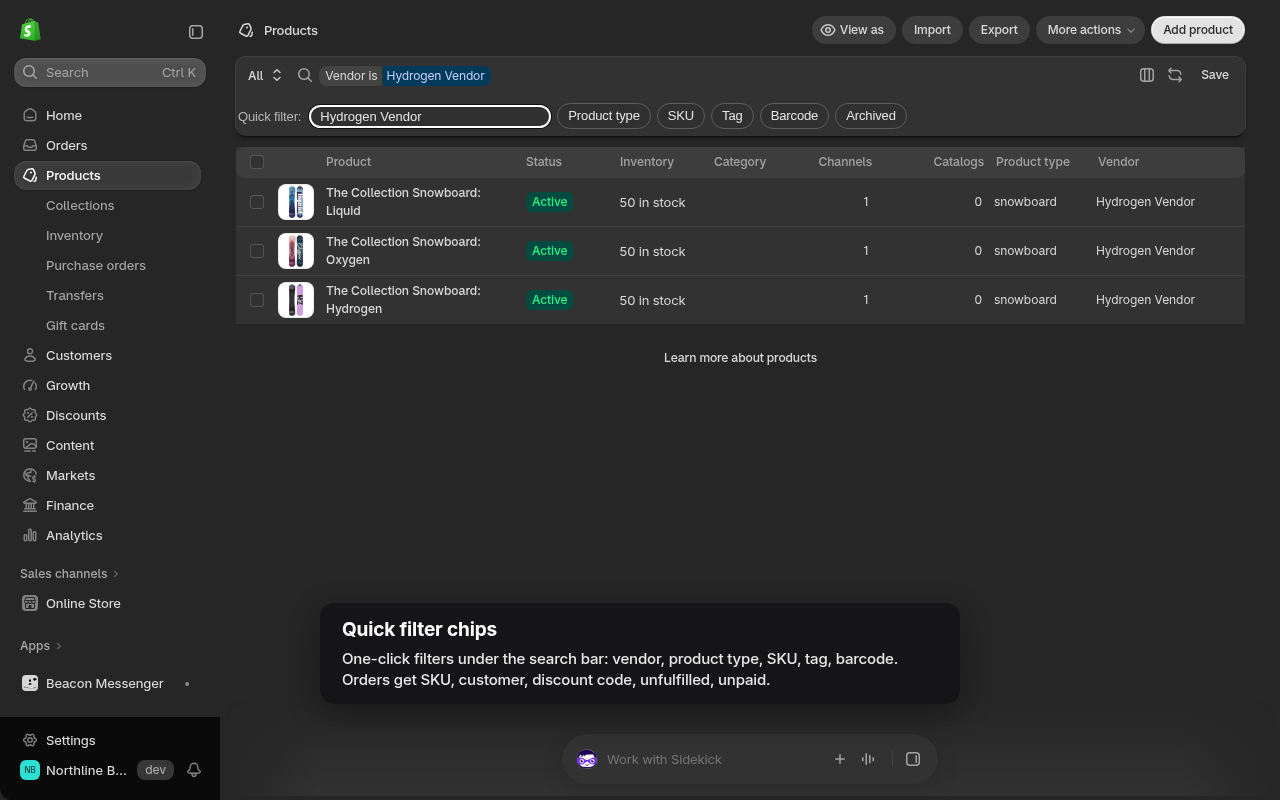
Shopify admin dark mode

250 rows per page

Products, orders and customers load 100 or 250 rows instead of 50. The extension changes the page size on the requests the admin already makes; it does not add requests or read the responses.

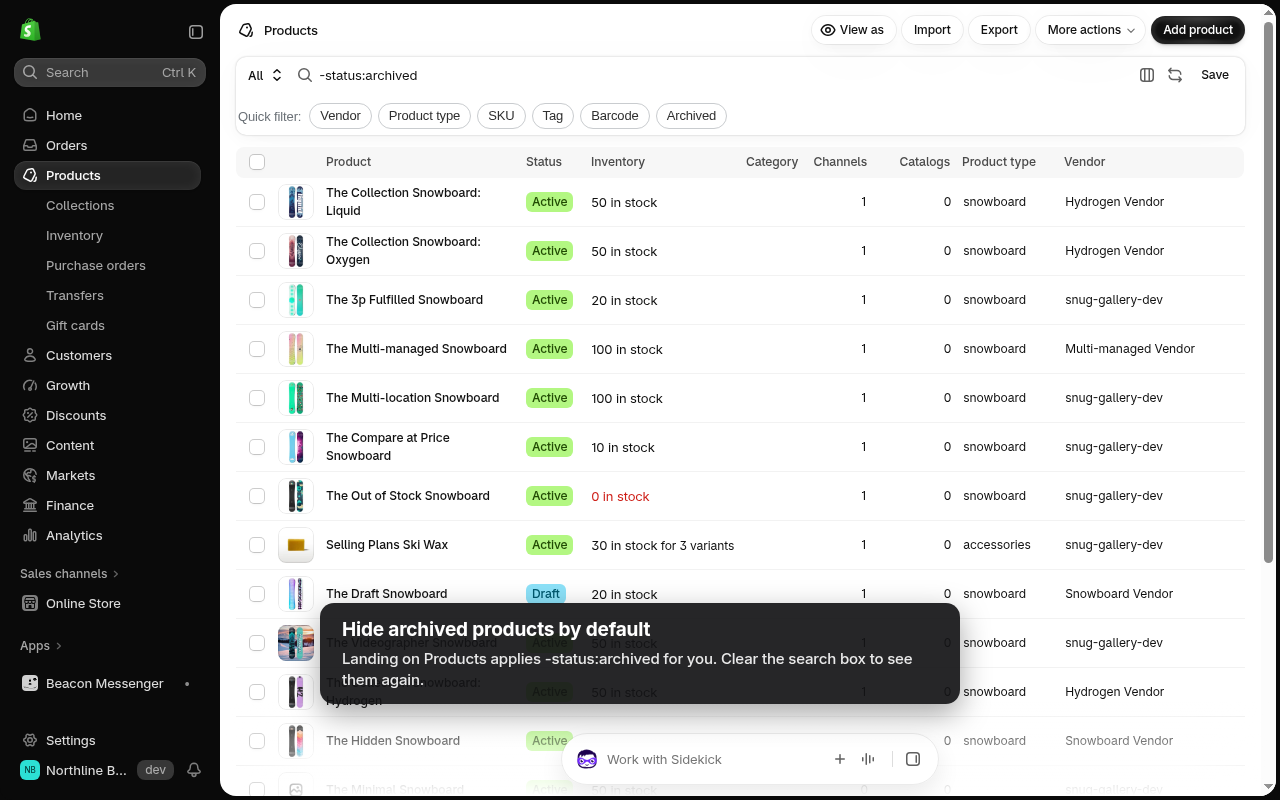
Archived products are hidden by default on the product list, and the Vendor and Product type columns are turned on for views that hide them.

Shopify product list with archived products hidden and Vendor and Product type columns visible

Quick filter chips

One click filters under the search bar that write the same search syntax you would type. Orders: SKU, customer, discount code, tag, unfulfilled, unpaid. Products: vendor, type, SKU, tag, barcode. Customers: email, phone, tag, country.

Quick filter chips under the Shopify admin search bar

Command palette and keyboard shortcuts

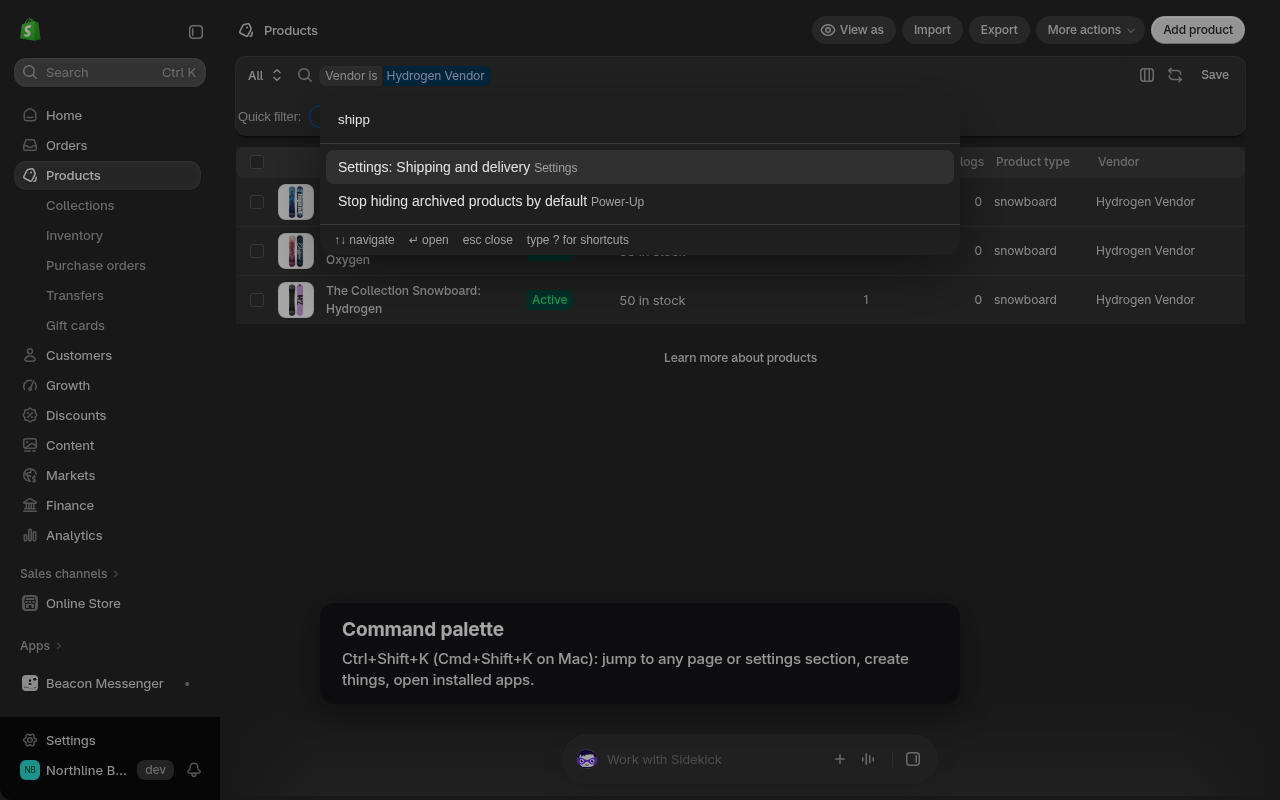
Ctrl+Shift+K (Cmd+Shift+K on Mac) opens a palette that jumps to any admin page or settings section, creates a product, draft order, customer, discount or collection, or opens an installed app.

Gmail style shortcuts when no field is focused: g o orders, g p products, g c customers, n p new product, / search, ? cheat sheet.

Command palette open over the Shopify admin

Paste from a spreadsheet into the bulk editor

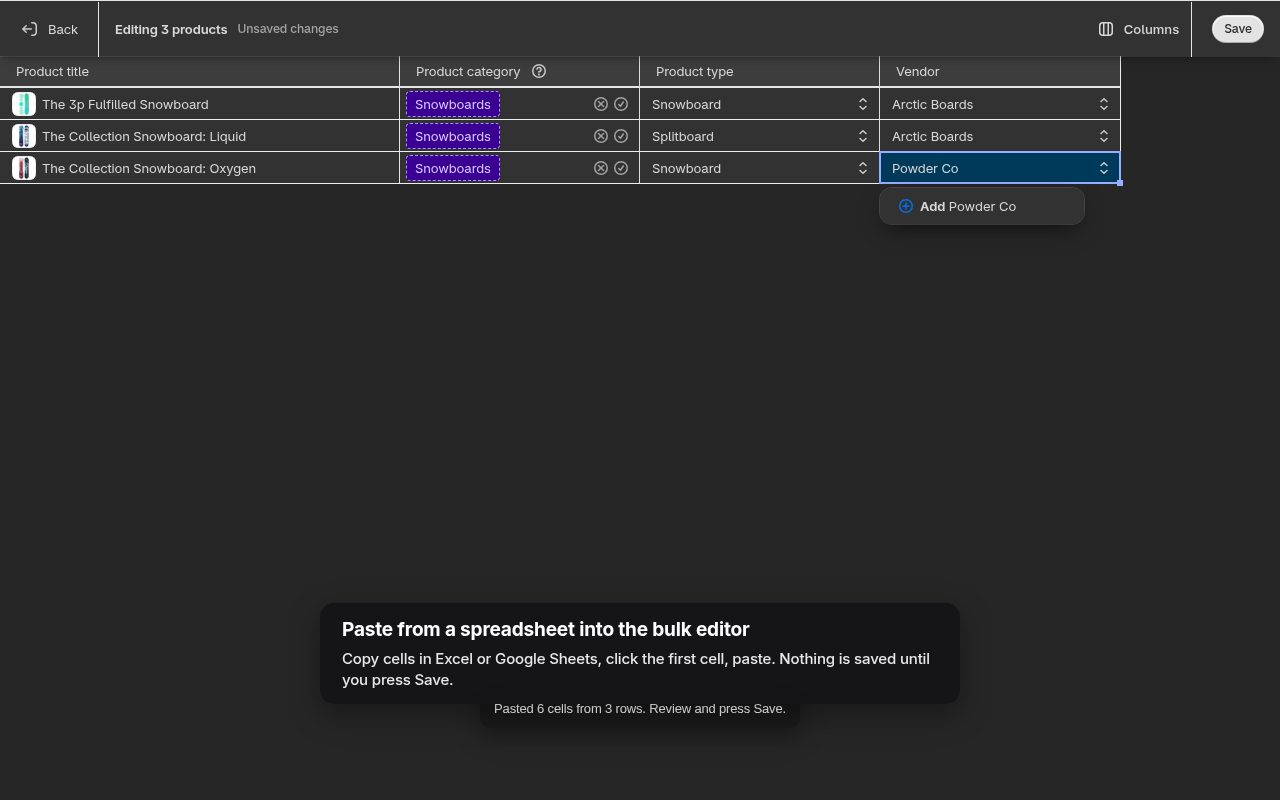
Copy a block of cells in Excel or Google Sheets, click the first cell in Shopify's bulk editor and paste. Rows and columns fill in across the visible columns. Nothing is saved until you press Shopify's own Save button.

Shopify bulk editor after pasting three rows from a spreadsheet

App pins you can actually see

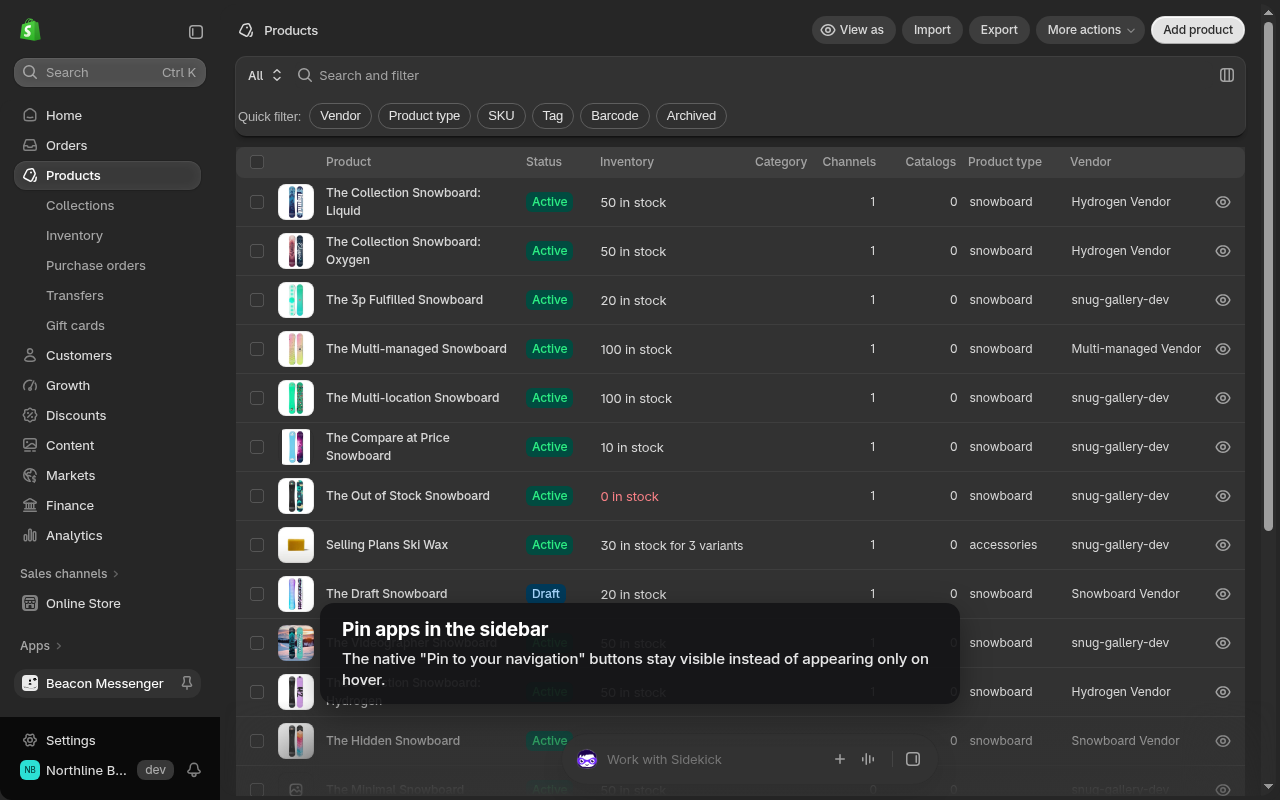
The pin buttons next to your installed apps in the sidebar stay visible instead of appearing only on hover, so pinning the apps you use daily takes one click.

Shopify admin sidebar with app pin buttons visible

All of it in 97 seconds

Recorded on a Shopify development store with the extension installed. No cuts in the admin itself.

Install in a minute

No account, no Shopify app install, no permissions beyond the admin tab itself.

Add it from the Chrome Web Store

One click. The extension asks for access to admin.shopify.com only.

Open your Shopify admin

The product list already hides archived items and shows Vendor and Product type. Press Alt+Shift+D for dark mode.

Pick what you want in the popup

Rows per page, dark mode, and an on/off switch for every feature. Preferences sync with your Chrome profile.

Add to Chrome, free

The extension is being reviewed by the Chrome Web Store. The install button will link there as soon as the listing is live; until then, write to us and we will send you the link the day it is published.

Built to stay out of your data

No server

There is nothing to send data to. The code runs in your tab and nowhere else.

No analytics, no tracking

No pixels, no error reporting, no third party scripts. We cannot see which stores use it.

One permission

storage, to remember your preferences. Plus the admin.shopify.com host, because that is the only place it does anything.

Read the full privacy policy

Questions merchants ask before installing

Does the Shopify admin have a dark mode?

Not as a setting. Shopify ships a dark theme in the admin code but does not expose a switch for it. The extension turns that theme on and softens it to dark gray surfaces with light gray text, so status colors and buttons still look like Shopify.

Can I see more than 50 products per page in the Shopify admin?

The admin itself stops at 50. The extension changes the page size the admin asks for, so products, orders and customers load 100 or 250 rows per page. Scrolling a long list is still faster than paging through five screens.

Does the extension send my store data anywhere?

No. There is no server, no analytics and no third party code. The only thing stored is your preferences, in Chrome sync storage, and uninstalling removes them.

Will it break when Shopify changes the admin?

It can, like any extension that works on a page it does not own. It relies on Shopify's accessibility roles and labels rather than generated class names, which change far less often, and each feature fails on its own without affecting the others. When something breaks, tell us and we ship a fix.

Does it work in Edge, Brave or Arc?

Yes. Any Chromium browser that installs from the Chrome Web Store works. Firefox and Safari are not supported.

Is it a Shopify app? Do I need to install anything on my store?

No. It is a browser extension. It does not install on your store, does not need API access and does not appear in your apps list. Staff who want it install it in their own browser.

How much does it cost?

Nothing. It is a free tool from Beacon Wave Studio, the team behind Snug Gallery, SafeSale, Restock Ops, Beacon Messenger and GeoBeacon.