 Shopify Admin Power-Up
Show 250 products per page in the Shopify admin
The products, orders and customers lists in the Shopify admin show 50 rows and then make you page. There is no setting for it, the ?limit= URL trick that worked in the old admin does nothing now, and the request for a bigger page size has been on the Community forum since 2019.
What the admin actually does
When you open Products, the admin page asks Shopify's internal GraphQL endpoint for the list with a variable called productsFirst: 50 (orders use ordersFirst, customers customersFirst). The number comes from the page code, not from a setting, which is why nothing in the UI changes it.
Changing it with Shopify Admin Power-Up
Shopify Admin Power-Up watches the requests the admin tab makes to itself and changes that one number to the page size you picked in the popup: 50, 100 or 250. It does not add requests, it does not read the responses, and it does not talk to the Shopify API on its own. 250 is the maximum Shopify's endpoint accepts.
- Install the extension and click its icon.
- Set Rows per page to 100 or 250.
- Reload the list. Paging, sorting and saved views keep working; they just operate on bigger pages.
What to expect
- Lists with 250 rows take a bit longer to load the first time, usually one to two seconds more on a store with images in every row.
- Bulk actions (select all, then Edit products, Add tags, Archive) now apply to up to 250 items at once instead of 50.
- Export is unaffected; it never used the page size.
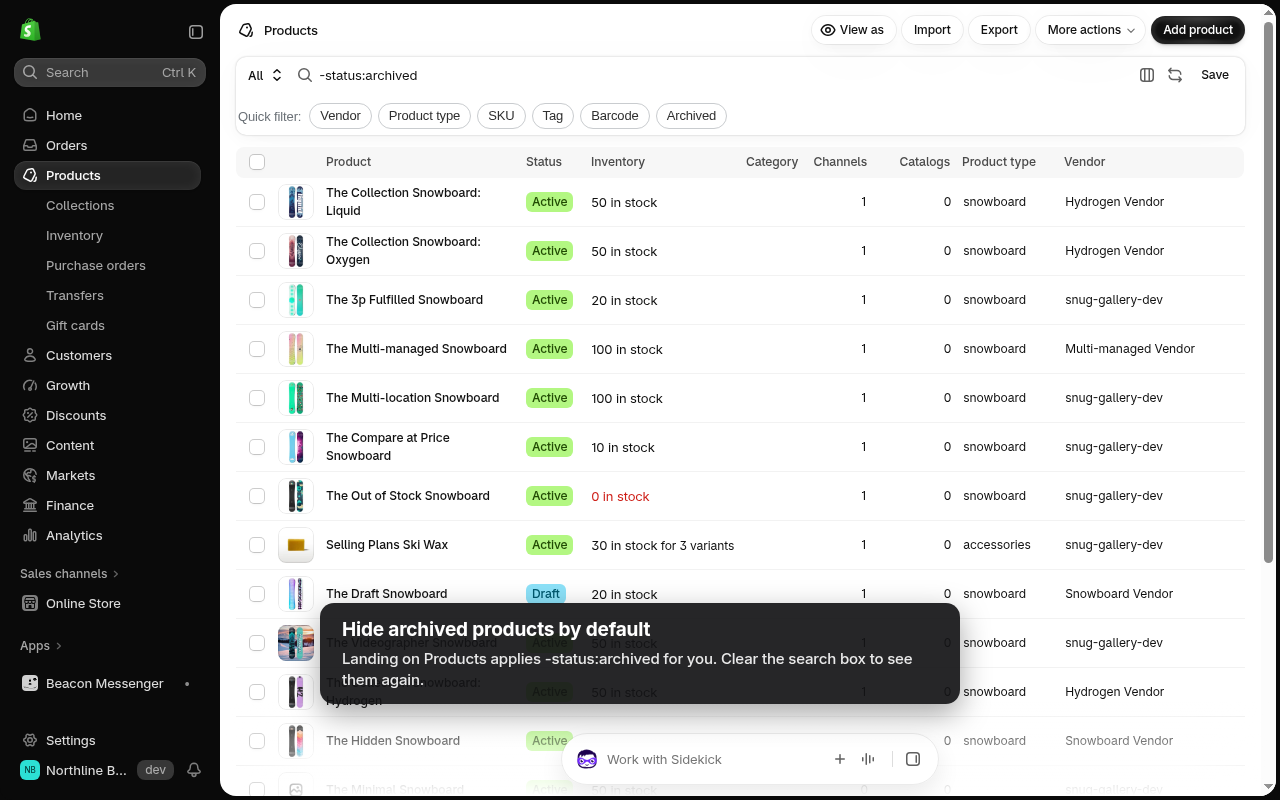
- The extension also hides archived products by default on the product list and turns on the Vendor and Product type columns, so the bigger page is actually useful for scanning a catalog.
When you still want a spreadsheet
For a one time clean up of thousands of products, Export to CSV and edit in a spreadsheet is still the right tool. For the everyday case, finding the ten products a supplier just changed, 250 rows and a vendor filter chip is faster than either paging or exporting.